AI training for small business
Stop Paying for Three AI Subscriptions: How Small Businesses Choose Their Home Base.
By Samuel Michelot · Updated June 2026
Short answer
Small businesses do not need subscriptions to every AI platform. Paying for three tools creates scattered company knowledge and team confusion. Standardize on one primary business workspace based on your document ecosystem and privacy guarantees, keep your core company context in neutral files outside the tools, and allow at most one specialist tool for specific technical needs.
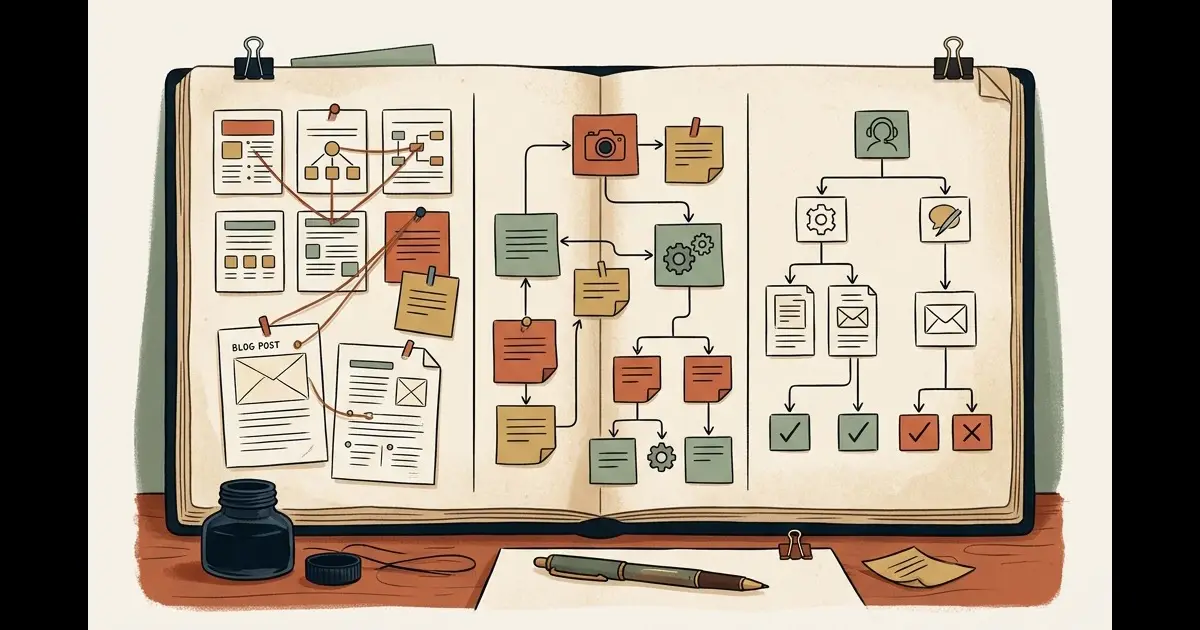
Small businesses do not need every AI tool on the market. They need one primary workspace that the team actually uses, plus one specialist tool when the job demands it.
In many companies, the AI landscape is pure chaos: the sales rep pays for ChatGPT Plus on an expense card, the operations lead experiments with Claude on a personal account, and the company Google Workspace account includes Gemini features nobody knows how to use.
This tool tourism is expensive, splinters company knowledge across personal accounts, and exposes commercial data to compliance risks.
Stop testing tools in isolation. Choose one home base, establish clear team rules, and cancel the rest.
The 5 Business Buying Criteria
Ignore marketing benchmarks. Evaluate ChatGPT, Claude, and Gemini on these five operational factors:
- Commercial Data Privacy: Does the business plan guarantee in writing that customer data and company uploads are never used to train public models?
- Shared Team Workspace: Can team members share custom project folders, standardized company context, and verified prompt templates without copying and pasting?
- Document Handling and Context Window: How reliably does the platform ingest 100-page vendor agreements, complex spreadsheets, or technical PDFs without forgetting earlier instructions?
- Ecosystem Integration: Does the tool connect naturally to your daily work tools (Google Drive, Microsoft 365, internal CRM, or Slack)?
- Cost and Administrative Simplicity: Can you manage seats, assign licenses, and download a single monthly VAT invoice from one central dashboard?
Matching the Platform to Your Company Profile
Each major ecosystem has developed a clear operational identity:
1. ChatGPT Team (OpenAI)
- Best suited for: Generalist businesses that need strong all-around performance, mobile voice interactions, and extensive third-party software connections.
- Key strengths: Voice mode for hands-free brainstorming, massive third-party integration library (Zapier, Make, custom Actions), and broad team familiarity.
- Watch out for: Complex document reasoning can occasionally drift off instructions compared to Claude.
2. Claude for Work (Anthropic)
- Best suited for: Operations heavy in contracts, nuanced customer communications, technical documentation, and coding scripts.
- Key strengths: Artifacts for building interactive forms and dashboards side-by-side, exceptional adherence to complex procedural instructions without hallucinating, and natural writing tone.
- Watch out for: Fewer direct no-code plug-and-play connectors than OpenAI.
3. Gemini for Google Workspace (Google)
- Best suited for: Companies already completely embedded in Gmail, Google Drive, Docs, and Google Meet.
- Key strengths: Native access to company Drive documents without manual file uploads, enormous context window for ingesting long meeting recordings and video files.
- Watch out for: Web standalone chat interface can feel less cohesive for multi-step autonomous workflows than Claude Projects or custom GPTs.
The “One Home Base, One Specialist” Principle
To keep operating costs and training simple, enforce this company rule:
- The Home Base (100% of the team): Pick one platform (e.g. Claude for Work or ChatGPT Team) for company-wide drafting, customer emails, meeting recaps, and operational research.
- The Specialist (1 to 2 seats maximum): If a specific technical team member requires distinct capabilities (e.g. an engineer writing internal Python scripts or an analyst processing giant video files), grant an isolated specialist seat.
Everyone else works in the same system, learns the same shortcuts, and shares the same prompt library.
The 2-Week Team Trial Protocol
Do not decide in a boardroom meeting. Test with real work over 14 days:
- Select 3 Core Workflows: Pick three high-frequency operational tasks (e.g., summarizing client intake notes, drafting standard quote letters, extracting invoice line items).
- Run Side-by-Side Tests on 10 Files: Process the exact same 10 company files through candidate platforms.
- Survey the Operators: Ask the team: Which tool followed formatting rules best? Which felt fastest? Which produced text needing the least human editing?
- Consolidate Subscriptions: Choose the winner, purchase a unified Team plan, and cancel all personal expense-account subscriptions.
Before committing your entire budget, review our guide on how to choose the right AI model for each specific task to avoid overpaying for unnecessary reasoning power.
If your team has this problem, this is what we work on in a practical AI training for small business. We help you clean up fragmented tool sprawl, pick the right platform for your workflows, and build shared team libraries that deliver measurable daily leverage.
Frequently asked questions
Should our small business pay for individual Pro accounts or a Team workspace?
Always choose a Team or Business workspace. Individual Pro accounts (€20/month) isolate prompts, lack central user billing, and by default may use your employee interactions to train public models unless manually opted out. Team workspaces guarantee commercial data privacy, centralized invoice billing, and shared project libraries.
What happens if we switch from ChatGPT to Claude or Gemini later?
If you store your company instructions, customer personas, and procedural checklists in your own Markdown files (like `AGENTS.md` and SOPs in your Second Brain), switching platforms takes less than 30 minutes. If your prompts are trapped inside custom GPTs or proprietary chat histories, migrating becomes painful.
Can a small business get by on free AI tiers alone?
Free tiers are suitable for occasional personal lookups, but inadequate for daily team operations. Free tiers throttle usage during peak business hours, exclude shared team workspaces, and lack commercial data protection guarantees required for client privacy.
What is the 'One Home Base, One Specialist' rule?
Standardize 90% of your company's daily communication, drafting, and document review on a single primary platform (your Home Base). Only purchase secondary licenses for specific team roles that genuinely need unique capabilities, such as an engineer using Claude for coding or a media editor using specialized multimodal models.
Want this inside your own business?
Simple AI Studio runs a hands-on implementation bootcamp for founders and small teams. You leave with a working AI system, not slides.