AI agents & Codex work
ChatGPT is not an AI agent: what changes for an SME
By Samuel Michelot · Updated June 2026
Short answer
ChatGPT is a chat tool: you ask, it answers. An AI agent is a system that works on its own toward a goal: it plans steps, uses tools, checks results, and tries again if needed. Most small businesses start with chat tools. You graduate to agents when a task involves multiple steps, tool use, or decisions that happen outside the chat box.
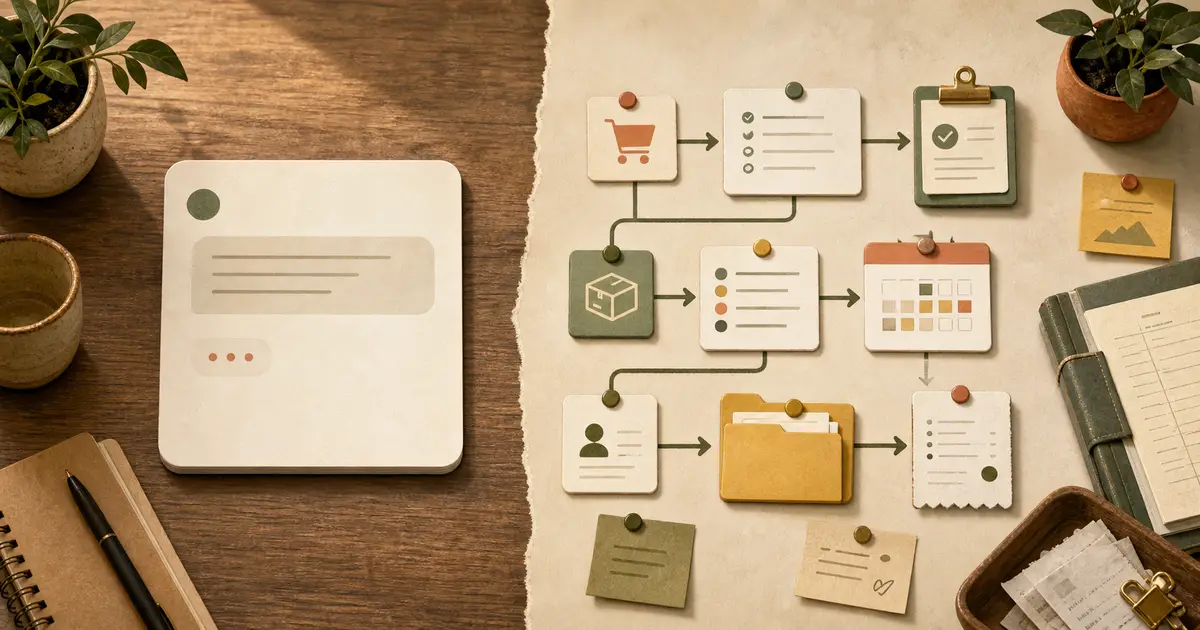
Everyone talks about AI agents now. Your software vendor has one. Your consultant mentions it. But here’s the honest truth: most small businesses don’t need an AI agent yet. And if you build one without understanding the difference from a chat tool, you’ll waste money on something that doesn’t solve your problem.
This guide walks you through the difference, when you actually need an agent, and how to know if it’s worth building.
The core difference: chat vs. autonomy
ChatGPT (a chat tool):
- You write a message.
- It reads your message and generates a response.
- You see the response and decide what to do next.
- If you want it to do something else, you write another message.
An AI agent:
- You set a goal or trigger an action.
- The agent breaks the goal into steps.
- It executes steps on its own: calling APIs, reading databases, using tools.
- It checks the result of each step.
- If something went wrong, it tries again or asks for help.
- You don’t click between steps. The whole thing runs until it’s done or hits an error.
The difference matters because chat is interactive (you’re in the loop), and agents are autonomous (they work while you’re doing something else).
Real examples: chat vs. agent
Example 1: Customer follow-up
Using chat (ChatGPT):
- You paste a customer’s email into ChatGPT.
- ChatGPT suggests a response.
- You read it, edit it, maybe ask ChatGPT to make it friendlier.
- You copy the response and paste it into your email.
- You manually mark the customer as “followed up” in your CRM.
Time: 5–10 minutes, you do it all manually.
Using an agent:
- A customer email arrives.
- The agent reads it, drafts a response, and logs it in your CRM automatically.
- It marks the customer as contacted and sets a reminder to follow up in 2 days.
- You only see the result. If the response was weird, you can edit it before it sends (or adjust the agent’s instructions).
Time: a few seconds, no manual steps.
Example 2: Data entry from a form
Using chat:
- A customer fills out a form on your website.
- You read the form, paste the data into ChatGPT, asking it to clean and format it.
- ChatGPT cleans it up.
- You copy the output and paste it into your spreadsheet or CRM.
Using an agent:
- Form submission triggers the agent.
- The agent reads the data, cleans it, checks for missing fields, and pushes it directly into your CRM.
- Done. No manual work.
When you actually need an agent (not a chat tool)
You need an agent if your task meets two of these three conditions:
- Multiple steps in sequence. The task involves 3+ steps that have to happen one after another (fetch data → analyze → decide → act).
- Uses multiple tools. The agent needs to pick between different actions: send a message here, create an event there, log data over here.
- Runs on a schedule or trigger. The task happens automatically (every morning, when a form is submitted, when a Slack message arrives), not just when you ask.
Examples that need agents:
- Daily summary: pull sales data from 3 tools, summarize, send to Slack, log time worked. (Multiple steps + schedule)
- Customer triage: read incoming email, check priority rules, assign to right team, post to Slack. (Multiple tools + decision)
- Proposal workflow: customer requests quote, agent finds similar past quote, adapts numbers, emails back. (Multiple steps + tools)
Examples that don’t need agents (chat is fine):
- “Help me write this email” — just chat.
- “Summarize this call transcript” — just chat.
- “Brainstorm ideas for our next campaign” — just chat.
- “How do I structure a proposal?” — just chat.
The cost/benefit question
Before you build an agent, calculate:
Time saved per month = (minutes per instance) × (times it happens per month)
Example: if a daily 10-minute summary takes ChatGPT + manual copy-paste 10 minutes, and you do it 20 days a month, that’s 200 minutes (3+ hours).
Cost to build:
- No-code automation (Zapier, Make): $0–50/month, 2–4 hours to set up.
- Simple custom agent: $1,000–3,000 to build, $0–30/month to run.
- Complex agent: $5,000–15,000+.
Payoff in months:
- If an agent saves you 3 hours/month and costs $50/month, payoff is immediate. Build it.
- If it saves 30 minutes/month and costs $200/month to build, skip it. Use chat and accept the manual step.
How to move from chat to agents
If you’re using ChatGPT for something repetitive, here’s the decision tree:
-
Can a no-code tool do it? (Zapier, Make, Automator, IFTTT)
- If yes, start there. Usually $5–50/month and no coding needed.
- If no, go to step 2.
-
Is it worth hiring a developer?
- If the time saved × hourly rate > cost to build, yes.
- If no, stick with chat and accept the manual work.
-
Where do you start?
- Pick one small, repetitive task.
- Automate just that one thing.
- Measure the actual time saved.
- Only then build the next one.
Common agent misconceptions
“Agents replace humans” — No. They replace repetitive steps. Humans still decide strategy, judgment calls, and what to try next.
“I need an agent to do anything useful” — False. Chat solves 70% of typical SME use cases. Agents solve the remaining 30%, but only if the 30% is genuinely repetitive.
“Once I build an agent, I never touch it” — Wrong. Agents need maintenance. When your workflow changes, the agent needs updating. Budget for that.
“An agent can do anything if I just explain it well” — Nope. Agents work best on well-defined, repetitive tasks with clear success criteria. Vague goals → vague results.
Next steps
If you’re ready to build, start with why SOPs come before automation — defining your exact process is half the battle.
If you want to understand agents deeper, read Codex for small business (Spanish: Codex para empresas).
If chat is still solving your problems, you’re fine. Stick with it until you hit a bottleneck chat can’t fix.
Frequently asked questions
If ChatGPT isn't an agent, why do people call it that?
Loose language. The AI industry uses 'agent' as a buzzword for anything with a bit of autonomy. But there's a real technical difference: chat tools wait for your next message; agents decide what to do next and act on it. The confusion costs small businesses thousands in failed tool purchases.
When does a small business actually need an agent?
When the task involves: (1) multiple steps in sequence (e.g., find customer record → draft email → log interaction), (2) picking the right tool from a toolkit (e.g., send Slack message or create calendar event), (3) decisions that depend on checking a result first (e.g., 'if price > 1000, need approval'). A chat tool can help you plan these, but it can't execute them without you clicking and copying.
Can I build an agent myself?
Yes, if you have a developer. Most agents for small business use no-code platforms (Zapier, Make, N8N) or simple Python/API glue. The hard part isn't the code; it's defining exactly what steps the agent should take and what it should never do on its own.
How much does an agent cost?
A simple agent might be free (Zapier's free tier covers many use cases) or $10–50/month per automation. A custom agent built by a developer is $2,000–10,000+ depending on complexity. Compare that to the time it saves your team, not the absolute cost.
Want this inside your own business?
Simple AI Studio runs a hands-on implementation bootcamp for founders and small teams. You leave with a working AI system, not slides.